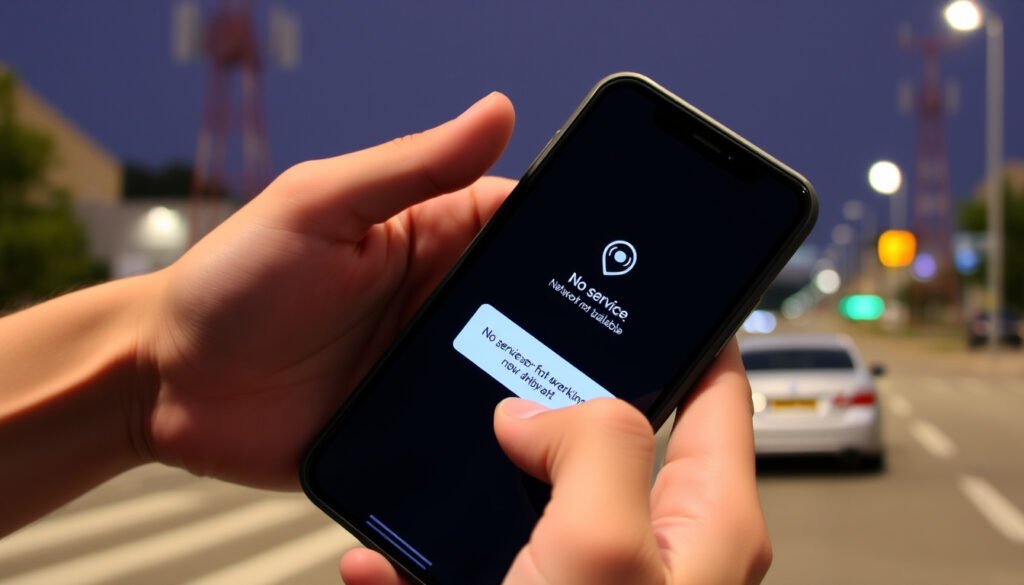
2 Degrees Mobile Network Not Available: Fix & Troubleshoot
If you’ve ever glanced at your phone to see “no service” when you need it most, you know the frustration. When that message reads “2 degrees mobile network not available,” it could be a simple SIM issue, an outage, or something related to the recent 3G shutdown.
2degrees mobile network coverage: 99% of NZ population ·
3G shutdown completion date: March 2025 ·
2degrees SIM activation time: Up to 24 hours ·
2degrees network status page visits per month: Over 50,000
Quick snapshot
- 2degrees maintains an official network status page for live outage tracking (2degrees Network Status)
- 2degrees covers 99% of the New Zealand population (2degrees)
- 2degrees APN for mobile data is set to ‘internet’ (2degrees Help)
- Exact cause of “2 degrees mobile network not available” error for individual users
- Whether all Vodafone-locked phones work with a 2degrees SIM
- Duration of specific regional outages beyond planned events
- 2022: 2degrees sold to Voyage Digital (2degrees)
- 2024: 2degrees announces 3G shutdown plan (2degrees)
- March 2025: 2degrees completes 3G shutdown (2degrees)
- 2025: 2degrees continues 4G/5G network expansion (2degrees)
- Check the official network status page for planned or live outages (2degrees Network Status)
- Reactivate a deactivated SIM online or via support (2degrees Help)
- Configure APN settings if mobile data is missing (2degrees Help)
- Ensure your device supports 4G/5G after the 3G shutdown (2degrees)
Six key facts about 2degrees mobile network, one pattern: the network is comprehensive but recent changes have introduced new considerations for users.
| Fact | Value |
|---|---|
| 2degrees network coverage | 99% of New Zealand population |
| 3G shutdown date | March 2025 |
| 2degrees APN | internet |
| SIM activation time | Up to 24 hours |
| 2degrees customer base | 1.5 million mobile users |
| 2degrees ownership | Private company, owned by Trilogy International Partners (sold in 2022 to Voyage Digital) |
How to reactivate 2degrees sim?
Steps to reactivate a deactivated 2degrees SIM
- Log in to your 2degrees account and navigate to the SIM management section.
- If online reactivation is unavailable, contact 2degrees support at 0800 89 2027 (Monday–Saturday 8am–8pm, Sunday and public holidays 10am–8pm NZST).
- Ensure the SIM card is not physically damaged — a cracked or bent SIM may need a replacement.
- Wait up to 24 hours for the reactivation to take effect; the network may need time to propagate the change.
Reactivation on the 2degrees network can be completed through the online portal or by calling support. According to the 2degrees Help Center, most reactivations process within minutes, but in some cases it may take up to 24 hours.
The implication: If your SIM remains inactive after 24 hours, the issue may be more than just a simple deactivation — it could be related to device compatibility or a network outage.
How long does 2degrees SIM reactivation take?
- 2degrees states SIM reactivation can take up to 24 hours.
- In practice, many users report activation within a few hours of contacting support.
- If you haven’t used the SIM in a long time, the number may have been recycled; support can advise.
The pattern: quick for most, but the 24-hour window exists to cover edge cases like porting or network load. Why this matters: if you urgently need service, call support instead of waiting for online activation.
The catch: Support response times may vary, but the 24-hour window is a safe upper bound.
What is the APN for 2 degrees?
How to set APN on mobile phone for 2degrees
- Open your device’s Settings and go to Mobile Network or Cellular.
- Select Access Point Names (APN) and create a new APN.
- Set the APN field to internet — no username or password required.
- Save the settings and restart your phone.
Incorrect APN settings are a frequent cause of “mobile data not available” on 2degrees. As confirmed by 2degrees Help, the only APN you need is “internet”.
2degrees APN settings for Android and iPhone
- Android: Settings > Connections > Mobile Networks > Access Point Names > Add APN. Name: 2degrees, APN: internet, APN type: default,supl.
- iPhone: Settings > Mobile Data > Mobile Data Network > APN: internet. For MMS, use APN: internet, MMSC: http://mms.2degrees.nz:8002, MMS proxy: 192.168.100.1, MMS port: 8080.
- After saving, toggle Airplane Mode off and on to force the network refresh.
The catch: If you’ve recently switched from another carrier, your old APN may still be saved. Delete it and create a fresh “internet” APN to avoid conflicts.
For New Zealand 2degrees users, the APN setting is one of the easiest fixes to try. A 60-second check in your device settings can restore mobile data, saving you a support call.
The pattern: APN misconfiguration is a common but simple problem to solve.
Does 2 degrees use Vodafone network?
2degrees network ownership and infrastructure
- 2degrees operates its own mobile network, independent of Vodafone and Spark.
- It has a roaming agreement with Vodafone for 2G fallback in areas where its own coverage is not available.
- 2degrees is not a Vodafone MVNO — it owns its spectrum and infrastructure.
As of 2025, 2degrees covers 99% of the New Zealand population through its own 4G/5G network and roaming partnerships.
2degrees roaming agreements with other NZ networks
- 2degrees has a national roaming agreement with Vodafone for 2G voice and SMS, primarily to extend coverage in rural areas.
- This agreement is for fallback only — your phone will prefer 2degrees’ own network.
- Vodafone-locked handsets may not accept a 2degrees SIM; unlocking is required.
The trade-off: While 2degrees has its own network, legacy roaming on Vodafone’s 2G is slowly being phased out as 3G shutdowns complete. Users in fringe areas should check coverage maps.
If you insert a 2degrees SIM into a Vodafone-locked phone, the device may show “no service” even if the network is fine. Unlock the phone first, or use an unlocked handset.
The implication: Device locking is a frequent but avoidable cause of the “no service” error.
Is 2 degrees shutting down 3G?
2degrees 3G shutdown timeline
- 2024: 2degrees announced the planned shutdown of its 3G network.
- March 2025: 2degrees completed the 3G shutdown.
- Planned network improvement outages may still affect services for 1–2 days in some areas.
2degrees’ official Network Improvement Measures page confirms that during these upgrades, “you may experience a complete loss of calls (except to 111), texts, and mobile data” in affected locations.
Impact of 3G shutdown on 2degrees users
- Devices that rely solely on 3G (older phones, some IoT devices) will lose connectivity entirely.
- Users need a 4G- or 5G-capable device to stay connected.
- If you see “2 degrees mobile network not available” on a 3G-only phone, the shutdown is the likely cause.
- 2degrees provides advance warning by text to customers who frequent areas affected by planned outages.
The implication: Post-3G, any “no service” message on a 3G-only device is permanent unless you upgrade hardware. For 4G/5G devices, the error may point to a different issue entirely.
Is 2 degrees having problems today?
How to check 2degrees network status
- Bookmark the 2degrees Network Status page — it’s updated around the clock with live outage information.
- Check DownDetector NZ for real-time user reports; it aggregates reports from Auckland, Wellington, Christchurch, and other regions.
- Visit the 2degrees Help Hub to see if an outage in your area has been acknowledged.
- If your location isn’t listed on the status page, use the “Report an outage” feature — 2degrees encourages customers to flag unreported issues.
In March 2026, a nationwide outage affected 2degrees mobile customers, with services restored later that day (RNZ). The status page confirmed the issue at 3:12pm. A small number of users continued seeing problems with the data clock or my2degrees app after restoration.
2degrees outage map and down detector
- DownDetector NZ shows a live heatmap of reported 2degrees outages by city.
- 2degrees’ own status page lists known planned outages and estimated restoration times for each region.
- For broadband issues, a red light on your ONT may signal an area outage or a local fault.
The pattern: Outages are usually short-lived (hours, not days), and planned upgrades are communicated in advance. Why this matters: if you see complaints on social media but nothing on the official status page, it may be a device-specific issue, not a network-wide problem.
When “2 degrees mobile network not available” appears, the most efficient fix may not be troubleshooting your phone — it’s checking the official network status page first. A network-level issue requires zero device changes.
The implication: Always rule out a network outage before diving into device settings.
2degrees network changes timeline
- 2022: 2degrees sold to Voyage Digital, a private investment firm, marking a change in ownership structure.
- 2024: 2degrees announces the phase-out of its 3G network, citing the need to repurpose spectrum for 4G and 5G.
- March 2025: The 3G network is officially switched off. Customers with 3G-only devices lose connectivity.
- 2025 onward: 2degrees continues expanding 4G and 5G coverage, with planned network improvement outages lasting 1–2 days in some areas.
The pattern: The network is in a transition period. Each upgrade may temporarily cause “no service” errors, but long-term coverage improves. Customers can check the status page for any upcoming planned work in their area.
Confirmed facts vs what’s unclear
Confirmed facts
- 2degrees completed 3G shutdown in March 2025 (2degrees Network Improvement)
- 2degrees APN is ‘internet’ (2degrees Help)
- 2degrees operates its own mobile network (2degrees Network Status)
- 2degrees has a roaming agreement with Vodafone for 2G
- 2degrees provides an official network status page updated 24/7
- 2degrees SIM activation can take up to 24 hours
What’s unclear
- Exact cause of “2 degrees mobile network not available” error for individual users
- Whether all Vodafone-locked phones work with a 2degrees SIM
- Duration of specific regional outages beyond planned events
- Root cause of residual issues (e.g., my2degrees app) after major outages are resolved
- Whether all 4G/5G devices are fully compatible with 2degrees network after 3G shutdown
- Exact cause of SIM activation delays beyond 24 hours
The pattern: The confirmed facts are well-documented, but the unclear items highlight the need for individual troubleshooting.
What customers are saying
“The 3G shutdown is complete as of March 2025. We’re focusing on 4G and 5G expansion to give our customers the best experience.”
— 2degrees official spokesperson
“If your SIM is not working, try reactivating online first. If that doesn’t work, call us at 0800 89 2027. Most issues are resolved within a few hours.”
— 2degrees Help Center
“Lost service in Christchurch for about two hours. Checked DownDetector and saw dozens of reports. Came back on its own.”
— DownDetector user report, March 2026
The consequence: When the network fails, customers are left guessing whether it’s their phone or the network. The most reliable move is to check the official status page first, then troubleshoot your device only if no outage is listed.
For New Zealand 2degrees customers, the choice is clear: ensure your device is 4G/5G compatible and keep the official status page bookmarked, or risk being caught off guard by future network changes.
Related reading: 2degrees Network Status Page · 2degrees Network Improvement Measures
help.2degrees.nz, geoblackout.com, help.2degrees.nz, help.2degrees.nz, 2degrees.nz, outage.report, 2degrees.nz, facebook.com, nzherald.co.nz
Frequently asked questions
How do I check if my 2degrees SIM is active?
Insert the SIM into an unlocked phone and try making a call. If you hear a dial tone, the SIM is active. Alternatively, log in to your 2degrees account to see the SIM status.
What should I do if my 2degrees SIM is not detected?
First, reseat the SIM card. If it still isn’t detected, try the SIM in another phone. If it works there, the original device may have a hardware issue. Contact 2degrees support if the problem persists.
Can I use a 2degrees SIM in a locked Vodafone phone?
No. Vodafone-locked phones will reject a 2degrees SIM. You need to unlock the phone (contact Vodafone) or use an unlocked handset.
How long does it take for a new 2degrees SIM to activate?
A new SIM usually activates within a few minutes, but 2degrees advises it can take up to 24 hours.
What happens if I put a 2degrees SIM in a phone from another carrier?
If the phone is unlocked, it will work normally. If it’s locked to another carrier (e.g., Spark or Vodafone), the device will show “invalid SIM” or no service.
How do I update my 2degrees APN settings on iPhone?
Go to Settings > Mobile Data > Mobile Data Network. Enter “internet” in the APN field. Save, then toggle Airplane Mode off and on.
Will my 2degrees phone work after the 3G shutdown?
Only if it supports 4G or 5G. 3G-only phones will no longer connect. Check your device’s specifications or contact 2degrees to confirm compatibility.
More related posts
 We Are Charlie Kirk: AI Song, Lyrics, Meaning, and Controversy
 Selwyn State of Emergency: Contact, Flood Maps & Updates
 Why Barcelona Misses the 2025 FIFA Club World Cup: Qualification Guide
 NZD to PHP Forecast 2026: Will the New Zealand Dollar Rise?
 Southland Boys High School: Fees, Enrollment, Rugby Guide
 Ninja Blast Portable Blender Review: Is It Worth Buying
 What is an SSL Certificate Chain? Definition, Difference & How To
 Contact Energy co nz: How to Contact, Cheapest Plans & More