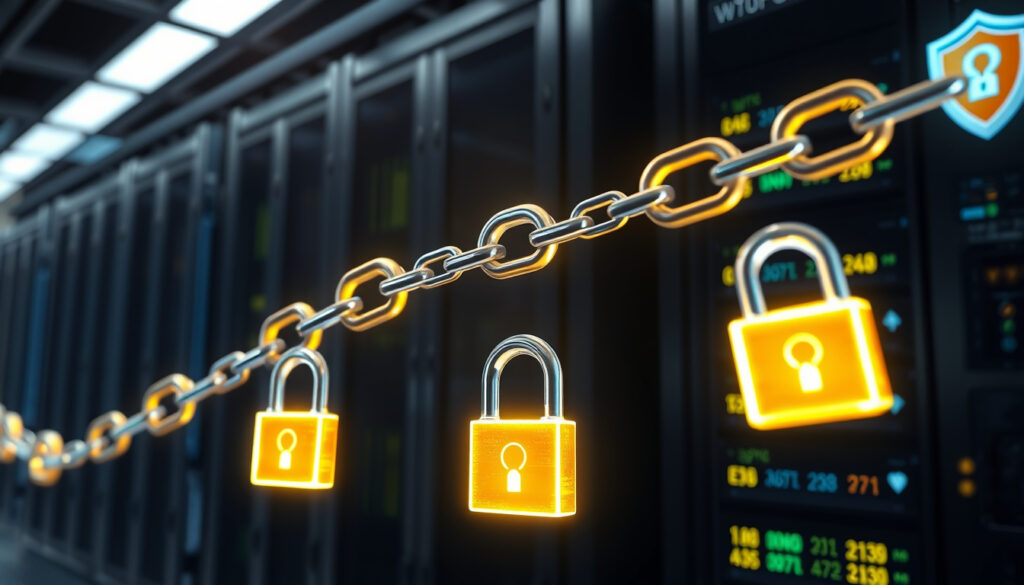
What is an SSL Certificate Chain? Definition, Difference & How To
Anyone who’s ever seen a padlock icon in their browser has already benefited from an SSL certificate. But that little lock is only the tip of a much deeper system of trust—one that strings together certificates in a chain of verification connecting your browser to a trusted root. Understanding that chain is the difference between a secure site and a false sense of security.
Typical chain length: 2–3 certificates (server, intermediate, root) · Root CA certificate validity: Up to 25 years · Websites using HTTPS: Over 90% (Google Transparency Report)
Quick snapshot
- SSL is deprecated in favor of TLS (DNSimple Help)
- Certificate chains consist of server, intermediate, and root certificates (DNSimple Help)
- Exact number of intermediate certificates varies by CA (DigiCert Knowledge Base)
- Whether all browsers fully support chain order differences (Evertrust Guide)
- SSL 2.0 (1995) → SSL 3.0 deprecated (2015) → TLS 1.3 standard (2018) (Keyfactor Education Center)
- Continued TLS 1.3 adoption; root CA programs update trust stores (Sectigo Official)
| Attribute | Value |
|---|---|
| First SSL version | SSL 2.0 (1995) |
| Current standard | TLS 1.3 (2018) |
| Number of trusted root CAs | About 50 (Mozilla NSS program) |
| Average certificate chain length | 2–3 certificates |
| Cost of basic DV certificate | Free (Let’s Encrypt) to $10/year |
What is an SSL certificate in simple terms?
An SSL certificate is a digital document that ties a domain or server to a cryptographic key pair. It allows browsers to establish an encrypted connection through the TLS handshake. DNSimple Help (technical support documentation) describes it as “a small data file that binds a cryptographic key to an organization’s details.” More practically, without one, your site visitors see a “Not Secure” warning.
Over 90% of web traffic now uses HTTPS. A missing or misconfigured certificate chain is the most common cause of broken padlocks even when the leaf certificate itself is valid.
What are the three types of SSL certificates?
- Domain Validation (DV): Quickest to get, only verifies domain ownership. Free from Let’s Encrypt.
- Organization Validation (OV): Checks basic business identity; used by small-to-medium companies.
- Extended Validation (EV): Rigorous identity vetting, shows company name in the address bar. Increasingly rare as browsers simplify UI.
The choice among DV, OV, and EV affects validation depth, but all rely on the same chain-of-trust mechanism underneath.
The trade-off: DV is cheap and fast, but offers no organizational identity proof. EV gives the highest trust signal, yet most browsers now treat EV same as DV in the address bar.
What is the difference between a certificate and a certificate chain?
A single SSL certificate is issued to one domain. A certificate chain is the full path from that leaf certificate, through zero or more intermediates, to a root certificate that is pre-loaded in your browser’s trust store. Without the chain, the leaf can’t be validated. Think of it like a hotel key card: the leaf certificate is your room key, but the hotel’s master-key system (intermediate and root) is what gives that key authority.
Four key contrasts, one pattern: the chain adds trust layers that a single certificate alone cannot provide.
| Aspect | Single SSL Certificate | Certificate Chain |
|---|---|---|
| Composition | One end-entity certificate | Leaf cert + one or more intermediaries + root |
| Validation path | Can’t be independently trusted | Traces back to a trusted root CA |
| Browser behavior | Shows warning if intermediate missing | Padlock appears only when chain is complete |
| Use case | Single domain HTTPS | All production HTTPS deployments |
The catch: many server admins accidentally omit the intermediate certificate, causing widespread trust failures even though the leaf is perfectly valid.
How does the chain of trust work?
The chain of trust is a hierarchical model. A root Certification Authority (CA) signs an intermediate certificate, which in turn signs the leaf certificate for your domain. When your browser receives the leaf, it checks that it was signed by an intermediate that is signed by a root it already trusts. DNSimple Help (technical support documentation) emphasizes: “the chain is only trusted if it terminates at a root in the client’s trust store.”
Root certificates are self-signed, as noted by Keyfactor Education Center (PKI education resource). That’s why they need to be pre-installed by operating system vendors and browser makers.
How do I generate a certificate chain?
Generating a certificate chain requires you to create a leaf certificate (or obtain one from a CA) and then combine it with the intermediate certificates in the correct order. The typical method uses OpenSSL.
- Create a private key and CSR:
openssl req -newkey rsa:2048 -keyout server.key -out server.csr - Submit the CSR to your CA; they return a leaf certificate and intermediate bundle.
- Concatenate the chain:
cat server.crt intermediate.crt root.crt > fullchain.pem– order matters: leaf first, then intermediates, then root.
The PostgreSQL Documentation (database security guide) shows an example of generating a child intermediate signed by the root. If you’re setting up your own CA, sign the intermediate CSR with the v3_intermediate_ca extension, as outlined in the FIRST CA Guide (security incident response best practices).
Mistaking the concatenation order is the #1 cause of “blank chain” errors in Nginx and Apache. Always verify with openssl verify -CAfile root.crt -untrusted intermediate.crt server.crt.
What commands are used to generate a certificate chain?
The essential OpenSSL commands, as compiled from PostgreSQL Documentation (database security guide) and FIRST CA Guide (security incident response best practices):
- Generate root CA key and self-signed certificate:
openssl req -x509 -new -key root.key -out root.crt - Generate intermediate CSR and sign with root:
openssl x509 -req -in intermediate.csr -CA root.crt -CAkey root.key -extensions v3_intermediate_ca -out intermediate.crt - Generate server CSR and sign with intermediate:
openssl x509 -req -in server.csr -CA intermediate.crt -CAkey intermediate.key -out server.crt - Verify chain:
openssl verify -CAfile root.crt -untrusted intermediate.crt server.crt
The catch: mistaking the concatenation order is the #1 cause of “blank chain” errors in Nginx and Apache. Always verify with openssl verify -CAfile root.crt -untrusted intermediate.crt server.crt.
Why is SSL no longer used?
SSL (Secure Sockets Layer) was deprecated because of critical security vulnerabilities in the protocol. The last version, SSL 3.0, was formally deprecated by the IETF in 2015. The modern standard is TLS (Transport Layer Security), now at version 1.3 (2018). Despite the name, “SSL certificate” is a colloquial term that actually refers to a certificate used with the TLS protocol. DNSimple Help (technical support documentation) notes that industry still uses the term “SSL certificate” even though the underlying technology is TLS.
Is SSL being phased out?
Yes, and it already has been. Leading browsers and servers have removed support for SSL 2.0 and 3.0. The AWS Security Blog (cloud security best practices) explains that modern trust stores no longer include SSL-only roots. If you attempt to serve SSL 3.0 today, all major browsers reject the connection.
Do I really need an SSL certificate?
Yes, absolutely. Without an SSL/TLS certificate, the data exchanged between your server and visitors is sent in plain text, vulnerable to interception. Browsers like Chrome mark HTTP pages as “Not Secure,” often showing a red warning triangle. Google also uses HTTPS as a ranking signal, so a missing certificate can hurt search visibility.
The table below compares the consequences of not having a certificate.
| Area | Without SSL | With SSL |
|---|---|---|
| User trust | “Not Secure” warning | Padlock icon |
| Data security | Unencrypted, sniffable | Encrypted via TLS |
| SEO ranking | Possible penalty (Google) | HTTPS ranking boost |
| Regulatory | May violate GDPR (personal data) | Compliant when properly configured |
What happens if you don’t have an SSL certificate?
Your site gets flagged by browsers: Chrome shows “Not Secure,” Safari displays a warning, and Firefox may block connections entirely. Any login forms, payment details, or personal information submitted are transmitted without encryption. The University of Wisconsin KnowledgeBase (educational IT documentation) points out that even internal applications using SSL require a proper chain for full trust.
Free certificates from Let’s Encrypt auto-renew and are valid for 90 days. Yet many sysadmins still pay for multi-year EV certificates thinking they’ll avoid renewal chores—while then failing to deploy the chain correctly.
Upsides
- Encrypts all traffic, protecting user data
- Builds visitor trust with padlock indicator
- Improves SEO ranking on Google
- Enables HTTP/2 for faster performance
- Required for PCI DSS compliance
Downsides
- Can incur cost if purchased from commercial CA
- Complex chain management increases misconfiguration risk
- Short-lived certificates require automation
- Legacy systems may lack TLS 1.3 support
- Self-signed certificates trigger warnings
What we know for sure
- Confirmed: SSL is fully deprecated; TLS is the active standard. (DNSimple Help, Keyfactor Education Center)
- Confirmed: A certificate chain always contains a leaf, at least one intermediate, and a root. (DNSimple Help, PostgreSQL Documentation)
- Confirmed: Root certificates are self-signed and maintained in OS trust stores. (Keyfactor Education Center)
- Unclear: The exact number of intermediate certificates varies by CA and by deployment. (DigiCert Knowledge Base)
- Unclear: Whether all browsers handle chain order inconsistencies identically. (Evertrust Guide)
Expert perspectives
The server’s certificate chain must be valid and ordered, or the browser will reject the connection even if the leaf certificate itself is correct.
Oracle WebLogic SSL documentation (enterprise application server security guide)
A chain of trust can be established with a self-signed root CA certificate and a leaf certificate signed by that root. One or more intermediate certificates can be inserted between them.
PostgreSQL Documentation (database security guide)
The difference between a secure connection and a broken padlock often comes down to one missing intermediate file. In an era where over 90% of the web runs HTTPS, getting the chain right isn’t optional—it’s the price of admission.
Related reading: **What Is a Monorepo? Benefits, Drawbacks, and Examples** · **16 Billion Passwords Leaked: What to Do Now (2025 Guide)**
postgresql.org, first.org, securew2.com, ibm.com, dl.ifip.org
Frequently Asked Questions
How much does an SSL certificate cost?
DV certificates can be free (Let’s Encrypt) or up to $10/year from commercial CAs. OV and EV certificates cost $50–$300/year.
How long does an SSL certificate last?
Typically 1–2 years. As of 2024, Apple and other browsers enforce a 398-day maximum validity for new certificates.
Can an SSL certificate be hacked?
The certificate itself is not hackable. Threats include stolen private keys, compromised CAs, and man-in-the-middle attacks.
Who is responsible for an SSL certificate?
The domain owner is responsible for requesting, renewing, and correctly installing the certificate and its chain. The CA issues the certificate after verification.
What is the SSL chain of trust?
The hierarchical model where a leaf certificate is signed by an intermediate, which is signed by a root CA that the browser already trusts.
Why do I need intermediate certificates?
Intermediate certificates protect the root CA from exposure and allow CAs to issue many leaf certificates securely.
More related posts
 Stirling Sports Christchurch Liquidation: Stores Close, $760k
 Westpac Warns Subscription Trap – Spot and Avoid Pitfalls
 Demazin Cold and Flu: Dosage, Side Effects, and Safety Guide
 Thank You in Mandarin: Xièxiè Pronunciation & Phrases Guide
 Moose Sighting on Kepler Track: 2025 Fiordland Report
 Social Kitchen New Plymouth: Menu, Prices, Hours & Reviews
 Cooks Garden Motor Lodge: Reviews, Prices, Location
 JB Hi-Fi Lower Hutt: Hours, Phone, Location & Prices