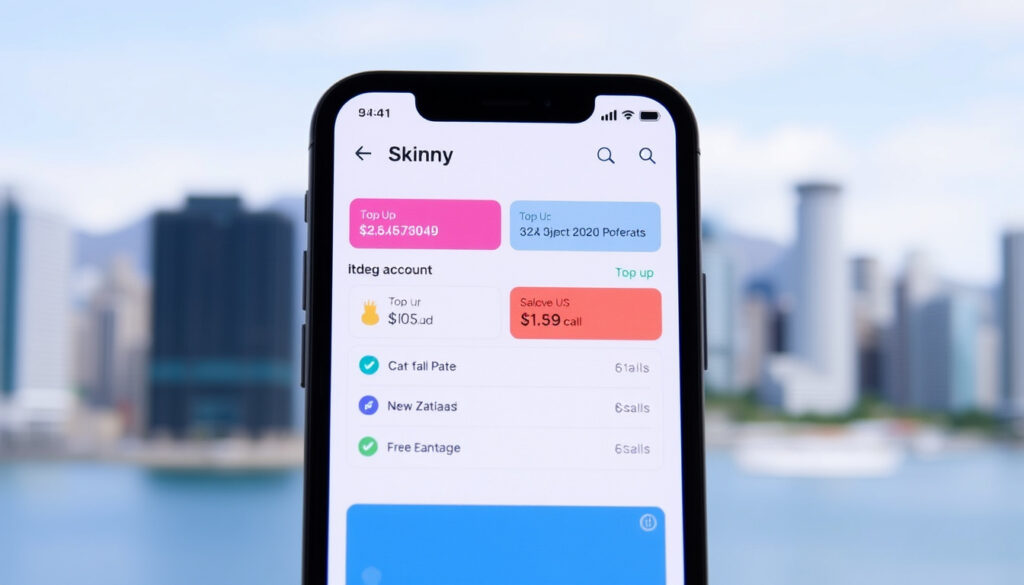
Skinny Contact Number NZ: Complete Guide to Account Management
Few mobile account problems in New Zealand are solved completely by the first call, but for Skinny Mobile customers, dialling 456 from a Skinny phone opens the full range of account tools from activation to cancellation. This guide walks the account lifecycle from start to finish, matching each problem to the quickest contact route.
Customer Support Number: 456 (Free from Skinny phone) ·
Activation Method: Call 456 or scan eSIM QR code ·
Parent Network: Spark New Zealand ·
Trustpilot Rating: 1.5 / 5 stars (512 reviews) ·
Service Type: Prepaid Mobile (MVNO)
Quick snapshot
- Calling 456 is the primary contact method (Skinny NZ How to Join).
- Skinny runs on the Spark New Zealand network (Spark NZ Help).
- Trustpilot aggregate rating is 1.5 out of 5 (Trustpilot).
- Exact current pricing for unlimited data and all plan tiers. Skinny advises checking its official website for the latest plans.
- Availability of specific ‘free data’ promotions at the moment.
- Activation: up to 30 seconds after dialling 456 (Skinny NZ Activation).
- Number deactivation: 12 consecutive months without a top-up (Spark NZ Help).
- Activate your SIM by calling 456 or scanning the eSIM QR code.
- Check balance and buy data via the app or by dialling 456.
- Cancel your plan through the app, web dashboard, or by calling 0800 4SKINNY.
The six key account details below, drawn directly from Skinny’s official terms and the Spark NZ help portal, all channel through the same starting point: dialling 456.
| Official Contact Number | 456 (Free from Skinny) |
| Parent Company | Spark New Zealand |
| Service Type | Prepaid Mobile (MVNO) |
| Trustpilot Score | 1.5 / 5 (512 reviews) |
| Activation Method | Call 456 or scan eSIM QR code |
| Online Help Center | Available at skinny.co.nz/help |
What Is My Skinny Phone Number?
How to Find Your Skinny Phone Number in the App
- Open the Skinny app on your phone – available on iOS and Android.
- Your number is displayed on the home screen or under My Account.
- If you have not installed the app yet, the welcome email or SIM packaging also lists the number.
How to Find Your Skinny Phone Number by Calling 456
- Dial 456 from your Skinny handset.
- The automated system reads out your number, along with your current balance and data allowance.
- This works even without an active data connection.
The implication: you only need access to the Skinny network to pull your number, no app or login required.
How Do I Activate My Skinny Plan?
The following activation steps are based on Skinny’s official instructions (Skinny NZ How to Join).
The 30-second activation window is Skinny’s fastest onboarding touch point. Interrupting it mid-process is the most common cause of a failed activation, requiring an extra call to support.
Activating a Standard Skinny SIM Card
- Insert the SIM card into your phone.
- Dial 456.
- Follow the voice prompts. Do not refresh or go back during the activation – the process usually takes under 30 seconds.
Activating a Skinny eSIM
- Purchase the eSIM online – you will receive a QR code by email.
- Open your phone’s settings, select Mobile Network or Cellular, and scan the QR code to download the eSIM profile.
- Confirm activation through the Skinny app.
Reactivating an Expired Skinny SIM
- Call 456 or log into your account on the Skinny website.
- If less than 12 months have passed since your last top-up, reactivation is straightforward.
- After 12 consecutive months without a top-up, the number is permanently deactivated (Spark NZ Policy).
The catch: that 12-month inactivity clock for permanent number loss is easy to miss. Setting an annual calendar reminder to top up even a few dollars protects your number from being recycled.
How Do I Cancel My Skinny Account?
If you manage other NZ provider accounts, the same cancellation and account-help patterns apply to services such as Latitude (Latitude Service Centre NZ: Contact, Cancellation & Account Help).
Cancelling via the Skinny App
- Open the Skinny app and go to My Account or Settings.
- Select Cancel Plan and confirm.
- Cancellation is immediate for prepaid balances – remaining credit is forfeited.
Cancelling by Contacting Skinny Support
- Call 0800 475 4669 (0800 4SKINNY) or dial 204 from your Skinny phone.
- Support hours: Monday–Friday 8am–7pm, weekends and public holidays 9am–5pm.
- Useful for retaining remaining credit or confirming the release of your number for porting.
The trade-off: app-based cancellation is instant but forfeits remaining credit, while calling support preserves your balance for a final transfer.
How to Check Balance on Skinny Mobile?
Checking Balance via the Skinny App
- Open the app for a real-time breakdown of remaining data, call minutes, and text credits.
- An active data or Wi-Fi connection is required to load the dashboard.
Checking Balance by Dialing 456
- Dial 456 from your Skinny handset.
- The automated system reads your balance and data allowance over the voice channel (Skinny NZ Help).
- This method works even when mobile data is exhausted or the app is unreachable.
Dialling 456 is the only balance check method that does not require a data connection or a charged phone battery, making it the fallback option when the app cannot load.
The pattern: the 456 voice service is effectively a hard-wired account line, decoupling balance checks from the data availability of the phone.
What Network Does Skinny NZ Use?
Is Skinny Having Network Issues Right Now?
- Skinny operates as a Mobile Virtual Network Operator (MVNO) on the Spark New Zealand network.
- Network outages typically originate from Spark’s infrastructure.
- Check the Spark network status page or the Skinny app for live service updates.
Why Isn’t My Skinny Data Working?
Skinny’s own troubleshooting guide (Skinny NZ Troubleshooting) outlines these steps:
- Confirm you are in a coverage area.
- Restart your phone and remove/reinsert the SIM card.
- If data still fails, set up the correct APN, select it, restart the phone and retry.
- Test your SIM in a different compatible device to rule out a phone problem.
- Test a different compatible SIM in your phone to identify a damaged SIM.
Why this matters: Skinny’s reliance on Spark’s infrastructure means a Spark outage takes Skinny down too. Running the device-level steps first isolates whether the problem is with the phone, the SIM, or the network.
How Much Is Unlimited Data on Skinny?
The following specifications come from Skinny’s official resources and show a service designed around self-management through a single short code.
| Network | Spark NZ (4G / 5G) |
| Contact Number (App) | 456 (Free) |
| Contact Number (Support) | 0800 475 4669 / 204 |
| Support Hours | Mon–Fri 8am–7pm, Weekends 9am–5pm |
| SIM Activation | Call 456 or scan QR code |
| Reactivation Window | Up to 12 months of inactivity |
| Balance Check | Dial 456 or Skinny app |
| Top-Up (SMS) | Text TOPUP + 12-digit code to 2424 |
| Cancellation Options | App / Web / Call Support |
How to Get Free Data with Skinny
- Free data is offered through limited-time promotions.
- Usually tied to referrals or special events.
- Check the Promotions section in the Skinny app for current offers.
How to Buy More Data on Skinny
- Use the Skinny app to buy a top-up with a credit card.
- Alternatively, purchase a top-up voucher from a retail store and text TOPUP followed by the 12-digit voucher code to 2424 (Skinny Mobile Terms).
The pattern: buying more data is straightforward through the app, but the SMS-based voucher system is a useful backup for those who prefer not to store card details online.
Confirmed facts
- Calling 456 is the primary contact method (Skinny NZ Help).
- Skinny operates on the Spark network (Spark NZ Help).
- Activation requires calling 456 or scanning an eSIM QR code (Skinny NZ Activation Guide).
- Trustpilot rating is 1.5 out of 5 (Trustpilot).
- Number inactive after 12 months without top-up (Spark NZ Policy).
- Top-up via SMS to 2424 (Skinny Mobile Terms).
What’s unclear
- Exact current pricing for unlimited data and all plan tiers (subject to change, refer to skinny.co.nz).
- Availability of specific ‘free data’ promotions at the moment.
- Root cause of intermittent data connection problems without calling support.
- Exact international roaming options beyond standard NZ domestic coverage.
- Current device compatibility matrix for accessing 5G connectivity on all plans.
- Processing timelines for number porting between NZ carriers when switching to Skinny.
Insert your new Skinny SIM card into your phone and dial 456. We’ll guide you through the rest.
Skinny NZ Help (official activation guide)
A prepaid plan can be cancelled through the Skinny Mobile Menu, the Skinny app, or the customer dashboard on our website.
Skinny Mobile App Terms (contractual terms of service)
Calls, texts or data not working? First, confirm you are in a coverage area. Restart your phone and remove and reinsert your SIM card.
Skinny NZ Troubleshooting (device-level diagnostic guide)
For a broader look at managing account access and login details across NZ providers, a separate guide covers Latitude’s contact and login portal (Latitude Service Centre NZ: Contact, Login & Card Guide). For a New Zealand prepaid mobile customer on Skinny, the quickest path to solving an account issue is clear: dial 456 from your Skinny handset, or risk a slower resolution through the website or app chat if you are outside the network.
skinny.co.nz, skinny.co.nz, skinny-nz.pissedconsumer.com, trustpilot.com, skinny.co.nz, spark.co.nz
Frequently asked questions
Can I keep my existing mobile number when switching to Skinny?
Yes, Skinny supports number porting from other New Zealand carriers. You will need your current account number and the porting process can be initiated online or by contacting support.
Does Skinny support eSIM or only physical SIM cards?
Skinny supports both. Physical SIM cards are delivered for standard plans. eSIM profiles are available for compatible devices and can be activated by scanning a QR code.
What happens if I don’t use my Skinny SIM for a while?
If you do not top up for 12 consecutive months, your Skinny mobile number becomes inactive and is permanently deactivated. You can reactivate within that 12-month window by calling 456 or logging into your account.
Can I use my Skinny plan while travelling to Australia?
Skinny does not offer standard roaming in Australia. Your plan is intended for use within New Zealand. For roaming options, contact Skinny support directly.
How do I contact Skinny if I am outside of New Zealand?
If you are outside New Zealand, you cannot dial 456 or 204. You can reach Skinny support by calling 0800 4SKINNY (+64 800 475 4669) or by submitting a contact form on the Skinny website.
Does Skinny offer 5G connectivity?
Yes, Skinny offers 5G connectivity for compatible devices and plans, leveraging the Spark 5G network.
How do I set up a Skinny account for my child?
You can set up a standard prepaid account for a child by purchasing a Skinny SIM online or in-store and activating it in your name. Account management can be shared by logging into the same dashboard.
More related posts
 How to Remove Tonsil Stones: Safe Home Methods
 Auckland Domestic Airport Parking: Rates and Discounts
 State of Origin 2025 Game 2: Result, Time, Venue & Highlights
 Crusaders vs Blues Tickets 2026: Official & Resale Guide
 100 NZD to INR: Current Rate, Strength & Cost of Living
 What Is Mental Health? Definition, Types, and Warning Signs
 Nelson News Today Live: Latest Updates from Nelson-Tasman
 All Blacks vs France Hamilton 2025: Result and Series Sweep